FAQs
Registration
How do I register?
To lodge disclosure returns, you will first need to register in the Self Service Portal. The type of account you can register for depends on your intended use of the EDS and your role; in particular, whether you are a public or political entity. Once you have completed your profile in the Self Service Portal you will have access to the relevant disclosure forms in the Electronic Disclosure System.
If I just want to view info, do I need to register?
No, you are only required to register if you need to lodge a return.
I’ve forgotten my password, what do I do?
If you forget your password, you can reset it from the QGov log in page.
I’ve forgotten my username, what do I do?
If you forget your username, contact the Funding and Disclosure team on 1300 881 665.
How do I change my address?
Individuals who are on the Queensland Electoral Roll, will need to update their address on the Electoral Roll through the Australian Electoral Commission: aec.gov.au, this will automatically update your address in the Self Service Portal and the Electronic Disclosure System.
Organisations, political party representatives and interstate users, will need to update their address in the Self Service Portal, this will automatically update your address in the Electronic Disclosure System.
Lodging a return
Why isn't my bulk upload working?
If a bulk upload doesn't work, it is most likely to be related to changes you have made within the spreadsheet template.
If any of the spreadsheet columns or wording are changed, the template will not upload properly. Please ensure you are using the original column names, and that you are only using the available options in any dropdown lists.
Where can I see all the returns I have lodged?
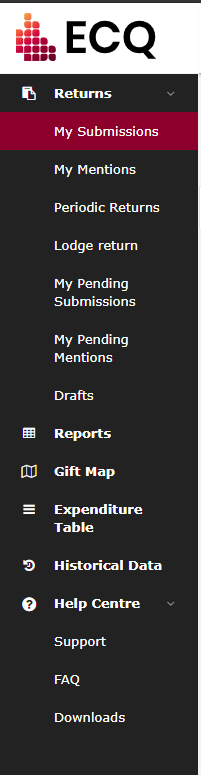
To see returns you have lodged, click ‘My Submissions’ in the menu on the left-hand side, then select the relevant type of submission from the tabs above the search bar.
More information can be found on the Submissions summary page.
I made a mistake in a return I have lodged, what do I do?
Once a return is lodged it can only be amended by ECQ representatives. In your Submissions Summary, click the Action box on the right of the return and select ‘Request to amend’.
A pop-up will appear asking you to provide a reason why an amendment has to be performed, and a description of exactly what requires modification. Fill this in and click ‘Request to amend’. This will then be sent to ECQ representatives to review. While the request is being processed this return will show as 'Pending' status and will not be visible by the general public.
I want to delete a return I have lodged, what do I do?
Once a return is lodged it can only be deleted by ECQ representatives. In your Submissions Summary, click the Action box on the right of the return and select ‘Request to delete’.
A pop-up will appear asking you to provide a detailed reason why the deletion is required. Fill this in and click ‘Request to delete’. This will then be sent to ECQ representatives to review. While the request is being processed this return will show as 'Pending' status.
Maps and reports
How do I view data related to a specific election period?
Above the table are a number of search and filter options that can help you narrow down your search for information.
To choose and view data for a particularly election period, click on the arrow to get a dropdown of all available options, select one, then click ‘Apply’. There is also a search box at the top of the list – type in here to narrow down the list. Selecting an election period will also preselect the From and To date fields for you.
More information can be found on the Search and Filters page.
How do I view a report for a particular type of return?
Please read our EDS fact sheet for more information.
Technical questions
What browsers can EDS run on?
The following desktop browsers and versions are compatible with EDS:
- Microsoft Internet Explorer version 11 and above
- Microsoft Edge version 14 and above
- Google Chrome version 53 and above
- Firefox version 48 and above
- Safari version 9 and above
- Opera version 42 and above
Any other browsers or those operating at earlier version numbers may not perform optimally.
The maps and reports are also designed to be compatible with mobile device browsers. However we recommend using a desktop browser if lodging a return.
I’m having trouble accessing a page in EDS, what do I do?
First, check your internet connection by checking another webpage. If that doesn’t work either you may have an issue with your connection.
If EDS is the only page to have an issue, please contact the ECQ to report the problem.